1 / 6

← Swipe to see more →
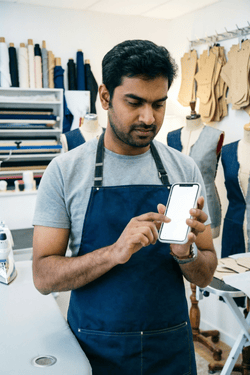
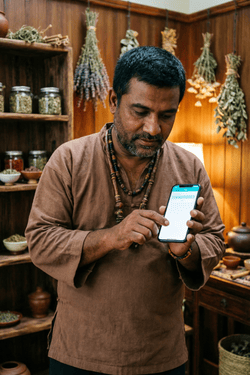
The simple, affordable appointment scheduler built for African Micro Businesses, hairdressers, beauticians, handymen. No internet? No problem.
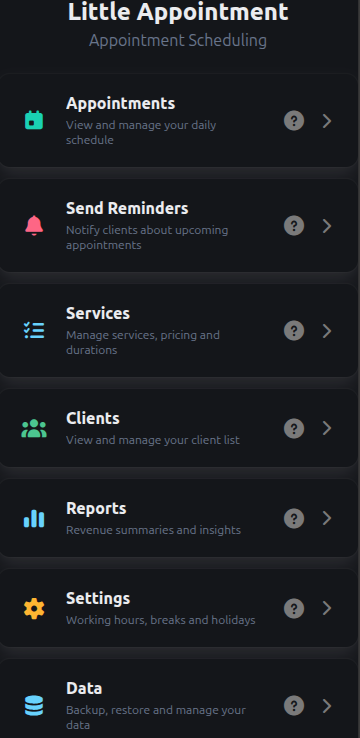
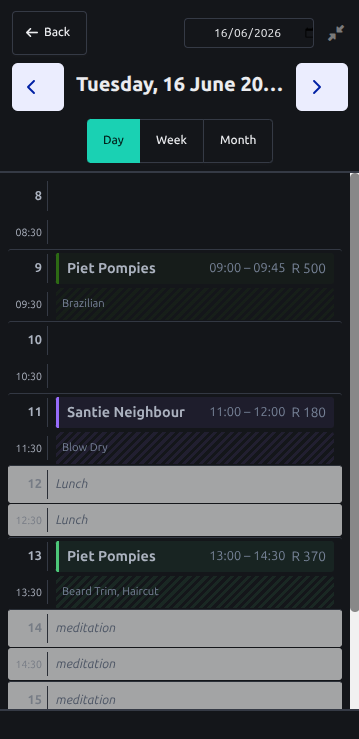
A complete day view, calendar, client, and reminder system. Setup takes 2 minutes. No cloud. Your data stays on your device.
← Swipe to see more features →
Little Appointment vs typical alternatives — 90%+ cheaper
| Feature | Little Appt Classic | Little Appt Pro | Marketplace Apps | Salon Platforms |
|---|---|---|---|---|
| Price/mo | R50 | R100 | ~R550+ | ~R400-R500 |
| Offline-first | ✅ | ✅ | ❌ cloud-only | ❌ cloud-only |
| No account needed | ✅ | ✅ | ❌ | ❌ |
| No server costs | ✅ | ✅ | ❌ | ❌ |
| No contract | ✅ pre-paid | ✅ pre-paid | ❌ monthly sub | ❌ monthly sub |
| Day view with drag | ✅ | ✅ | ✅ | ✅ |
| Week & Month calendar | ✅ | ✅ | ✅ | ✅ |
| SMS reminders | ✅ free | ✅ free | ✅ paid | ✅ paid |
| Messenger reminders | ✅ free | ✅ free | ❌ | ❌ |
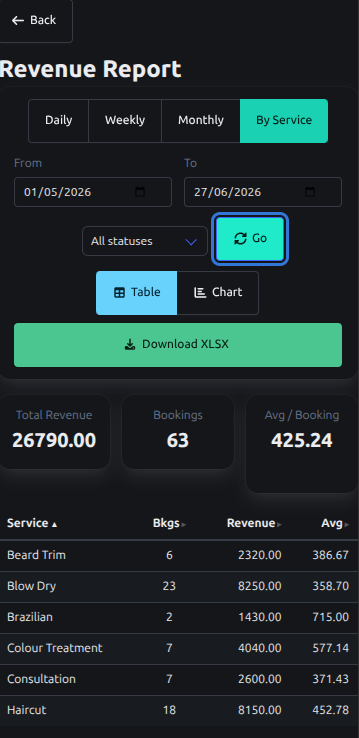
| Revenue reports | ✅ | ✅ | ✅ | ✅ |
| Charts | ✅ | ✅ | ✅ | ✅ |
| Multi-device sync | ❌ | ✅ | ✅ cloud | ✅ cloud |
| Client self-booking | ❌ | ✅ with approval | ✅ auto-confirm | ✅ auto-confirm |
| Tentative bookings | ❌ | ✅ unique | ❌ | ❌ |
| Languages | 4 | 4 | 20+ | Varied |
| Data stays on your phone | ✅ | ✅ | ❌ their cloud | ❌ their cloud |
| Works on desktop/laptop | ✅ browser | ✅ browser | ❌ app only | ❌ app only |
* Marketplace apps ~R550/mo + R370/staff. At R50, Little Appointment is 90%+ cheaper.
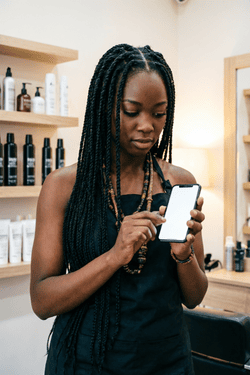
Built for solo practitioners across Africa
← Swipe to see more use cases →
Watch how easy it is to book appointments, manage clients, and send reminders.
No signup needed • Works offline • Multi-Device • Share Reports
Watch how easy it is to link devices
Watch how easy it is for your clients to book an appointment
No contracts. No hidden fees. Just simple tools that work offline.
Everything you need to know before getting started
No! Little Appointment works 100% offline. All your appointments, clients, and reports are stored securely on your device.
Little Appointment is a progressive web app that runs on Android phones & tablets, iOS devices, as well as on Windows, Mac and Linux desktops.
Any browser can be used on any device. Install to your phone or laptop home screen for a native app experience — no Play Store or App Store needed.
A backup file containing all your data is created and saved to your device.
If you have an active Pro Voucher, you can perform a full backup and restore — including all appointments, clients, services, and settings.
Pay-as-you-go. No Monthly obligations. No auto-renewal. Purchase a voucher when you need to.
Classic Voucher: R50 for 30 days.
Pro Voucher: R100 for 30 days. Includes multi-device sync and public booking portal.
Yes. Little Appointment is privacy-first: no tracking, no ads, no selling your data. All data stays on your device.
You can send reminders directly from Little Appointment to your client via SMS, Messenger, or Email with one tap. You need to be connected to the internet for this action.
Little Appointment is the main scheduling app, while Little Appointment Pro is an add-on that enables multi-device sync and the public booking portal.
To use Pro features, you will need a Pro Voucher.
You would install Little Appointment on different devices and link them together.
See the built-in help on how to connect the devices.
When the devices connect, the latest client list and appointments are synced automatically.
The Day View shows your full day as a time-slot grid. You can:
Switch between compact and comfort modes, and use the date arrows or picker to navigate days. The week and month views give you a broader planning perspective.
Appointments can be marked as Confirmed, Completed, Cancelled, or No-Show. Status dots give instant visual feedback on your calendar.
You can also set Tentative Bookings (Pro feature).
Not at all. Little Appointment has a clean, touch-friendly interface that most people learn in under 5 minutes. The app has a built-in Help system.
Little Appointment runs entirely on your devices — there's no cloud server. When a client books online, the booking goes directly to one of your linked devices. So at least one device must be connected to the internet and awake: a laptop or desktop with the browser tab open and the screen not locked or hibernating, or a phone/tablet with the app open in the foreground. Once the booking arrives, it syncs to your other devices as usual. On desktop, the tab just needs to be open — it's fine if it's in the background.